
After a year and a half of active development, I am thrilled to announce that MikroORM v7 is finally stable. This is the biggest release yet, and the subtitle says it all - Unchained. We broke free from knex, dropped all core dependencies to zero, shipped native ESM, removed the hard coupling to Node.js, and added a bunch of new features on top. Let's dive in!

Quick summary of 6.x releases
Before we get to all the v7 goodies, let's mention some of the important additions from 6.x feature releases:
defineEntityhelper with full type inference- balanced loading strategy
- transaction propagation support
@Transactionaldecorator- private property accessors
- nested inner joins
- enum mode support in entity generator
- filter improvements on relations
But enough of the history lesson, let's talk about the future!
Zero dependencies in core

One of the headline features of v7 is that the @mikro-orm/core package now has zero runtime dependencies. That's right - none. We dropped dotenv, esprima, reflect-metadata, dataloader, globby, and everything else. The core package now stands entirely on its own.
This has huge implications for bundle size, cold start times (great news for serverless users!), and overall maintainability. Some of these dependencies are still available as optional peer dependencies - for instance, install dataloader if you want the dataloader integration, and reflect-metadata if you prefer the reflect-based metadata provider.
Dotenv support has been removed entirely. If you relied on automatic
.envloading, you'll need to calldotenv.config()yourself before initializing the ORM.
Knex replaced with Kysely
The internal query building has been completely rewritten. MikroORM no longer depends on knex for generating or executing SQL queries. Instead, Kysely is now used as the query runner, while the actual query building is done entirely by MikroORM itself - giving us full control over the generated SQL.
The @mikro-orm/knex package has been renamed to @mikro-orm/sql, which is where all the shared SQL driver logic now lives. You can still access the underlying Kysely instance for raw queries:
const kysely = orm.em.getKysely();
const res = await kysely.selectFrom('author').selectAll().execute();
When you use defineEntity, the Kysely instance returned by em.getKysely() is automatically typed based on your entity metadata — you get full autocomplete for table and column names without manually defining Kysely interfaces. If you prefer decorators, you can opt into the same automatic typing by declaring an EntityName symbol on your class (this is needed because decorators alone don't generate the type mapping that defineEntity provides automatically):
import { EntityName } from '@mikro-orm/core';

@Entity()
class Author {

  [EntityName]?: 'Author';

  @PrimaryKey()
  id!: number;

  @Property()
  firstName!: string;

}
The built-in MikroKyselyPlugin can also process onCreate/onUpdate hooks, convert values through MikroORM's type system, and let you reference tables by entity name and columns by property name instead of their database counterparts. The best way to use this is with both tableNamingStrategy and columnNamingStrategy set to use entity/property names — the plugin will handle the translation to actual table and column names at runtime:
const kysely = em.getKysely({
  tableNamingStrategy: 'entity',
  columnNamingStrategy: 'property',
});

// write queries using entity and property names — fully typed!
const rows = await kysely
  .selectFrom('Author')
  .select('firstName')
  .execute();
See the Kysely integration guide for the full details.
If you have existing code that uses knex query builders or knex.raw() expressions, install @mikro-orm/knex-compat — it provides a raw helper that can convert knex queries into ORM raw fragments:
import { raw } from '@mikro-orm/knex-compat';
import knex from 'knex';

const knexQb = knex({ client: 'pg' }).select('*').from('author');
const authors = await em.find(Author, { [raw(knexQb)]: [] });
Native ESM
MikroORM v7 is now a native ESM package. This is a huge step that we've been working toward for years. Thanks to the require(esm) support that landed in Node.js (and was backported to Node 20 LTS), your CJS projects should still be able to consume MikroORM without issues - you don't need to convert your project to ESM.
The mikro-orm-esm CLI script is gone. There is now just one mikro-orm CLI that works everywhere. Combined with the new TypeScript loader support (more on that below), setting up the CLI should be much less painful than before.
Node.js 22.17+ and TypeScript 5.8+ are now required.
No direct dependency on Node.js
The core runtime (core + drivers) no longer depends on node:path, node:fs, or other Node.js built-in modules, making it easier to bundle and setting a baseline for potential support on Deno and other runtimes.
Some features like AsyncLocalStorage have a dummy fallback so the project can build, but won't work correctly without a proper implementation (e.g., concurrent flush requires it). The following packages still depend on the Node.js runtime: @mikro-orm/cli, @mikro-orm/entity-generator, and @mikro-orm/reflection.
Published on JSR
All MikroORM packages are now published on JSR alongside npm. JSR publishes TypeScript source directly, so Deno users and JSR-native tooling get first-class type information without a build step. Combined with the zero Node.js dependency in core and native ESM, MikroORM v7 is a first-class citizen in the Deno ecosystem from day one.
Type-safe QueryBuilder
This is a feature many of you have been asking for. The QueryBuilder now tracks joined aliases through generic parameters, providing full autocomplete and type checking for aliased properties like b.title or a.name.
const qb = em.createQueryBuilder(Author, 'a')
  .leftJoin('a.books', 'b')        // 'b' now typed as Book
  .leftJoin('b.publisher', 'p')    // 'p' now typed as Publisher
  .leftJoin('b.tags', 't')         // 't' now typed as Tag
  .select(['a.name', 'b.title', 'p.name', 't.label'])
  .where({ 'b.title': { $like: '%orm%' } })
  .orderBy({ 'p.name': 'asc', 't.label': 'desc' });
Type the alias and a dot, and your IDE will suggest all available properties:
qb.where({ 'b.|' })   // suggests: title, price, author, publisher, tags, ...
qb.orderBy({ 'p.|' }) // suggests: name, address, books, ...
qb.select(['t.|'])    // suggests: label, books, ...
And invalid properties or unknown aliases will fail at compile time:
qb.where({ 'b.invalid': 1 });     // TS error: 'invalid' doesn't exist on Book
qb.orderBy({ 'x.name': 'asc' });  // TS error: 'x' is not a known alias
qb.leftJoin('a.invalid', 'x');    // TS error: 'invalid' is not a relation on Author
Field aliasing in select
The QueryBuilder also supports aliasing fields in select() — including @Formula properties — via the as syntax or sql.ref().as():
// string 'as' syntax
const qb = em.createQueryBuilder(Book, 'b')
  .select(['b.title', 'b.priceTaxed as tax']);

// or via sql.ref().as()
const qb = em.createQueryBuilder(Book, 'b')
  .select(['b.title', sql.ref('b.priceTaxed').as('tax')]);
Aliases are tracked by the type system, so having() and orderBy() type-check them too:
const qb = em.createQueryBuilder(FooBar, 'fb')
  .select(['fb.id', 'random as rnd'])
  .groupBy('fb.id')
  .having({ rnd: { $gt: 0 } }) // 'rnd' is type-checked!
  .orderBy({ rnd: 'desc' });
Type-safe partial loading
The fields parameter is now type-safe in the QueryBuilder too. Selected fields are tracked through the generic parameters, so getResult() and getResultList() return entities typed with only the selected properties, while execute() returns properly typed DTOs:
const qb = em.createQueryBuilder(Author, 'a')
  .select(['a.id', 'a.email']);

// getResultList() returns Loaded<Author, never, 'id' | 'email'>[]
const entities = await qb.getResultList();

// execute() returns Pick<EntityDTO<Author>, 'id' | 'email'>[]
const rows = await qb.execute();
This extends to joined relations — fields selected via leftJoinAndSelect are tracked per alias, so the full entity graph is correctly narrowed:
const qb = em.createQueryBuilder(Author, 'a')
  .select('a.id')
  .leftJoinAndSelect('a.books', 'b', {}, ['title'])
  .leftJoinAndSelect('b.publisher', 'p', {}, ['name']);

const rows = await qb.execute();
// typed as EntityDTO<Loaded<Author, 'books' | 'books.publisher', 'id' | 'books.title' | 'books.publisher.name'>>[]
Common Table Expressions (CTEs)
The QueryBuilder now supports Common Table Expressions via with() and withRecursive() methods. CTEs work across all SQL drivers, including support for column lists and MATERIALIZED / NOT MATERIALIZED hints on PostgreSQL.
const sub = em.createQueryBuilder(Author, 'a')
  .select(['a.id', 'a.name'])
  .where({ age: { $gte: 40 } });

const rows = await em.createQueryBuilder(Author)
  .with('older_authors', sub)
  .select('*')
  .from('older_authors', 'oa')
  .execute();
Multiple CTEs can be chained, and recursive CTEs are supported too:
import { raw } from '@mikro-orm/core';

const qb = em.createQueryBuilder(Author)
  .withRecursive('seq', raw('select 1 as n union all select n + 1 from seq where n < ?', [5]))
  .select('*')
  .from('seq', 's');

const rows = await qb.execute<{ n: number }[]>();
// [{ n: 1 }, { n: 2 }, { n: 3 }, { n: 4 }, { n: 5 }]
When building a CTE from a typed QueryBuilder, the resulting CTE table inherits the entity type — so select, where, and other methods on the outer query are fully type-checked against the CTE's shape.
UNION-based where clauses
A new unionWhere option provides an index-friendly alternative to complex $or queries. Instead of building one query with OR conditions that can defeat the query planner, unionWhere creates separate sub-queries for each branch and combines them via UNION ALL:
const results = await em.find(Employee, {}, {
  unionWhere: [
    { department: 'engineering' },
    { salary: { $gt: 100_000 } },
  ],
});
This is especially useful when different branches touch different relations — PostgreSQL's planner often can't use per-table indexes with $or across joins, but each UNION branch is planned independently and can use its own indexes.
The QueryBuilder exposes union() and unionAll() methods for more control:
const qb1 = em.createQueryBuilder(Employee).select('id').where({ department: 'engineering' });
const qb2 = em.createQueryBuilder(Employee).select('id').where({ salary: { $gt: 100_000 } });

const results = await em.createQueryBuilder(Employee)
  .select('*')
  .where({ id: { $in: qb1.unionAll(qb2) } })
  .getResultList();
By default, unionWhere uses UNION ALL (keeps duplicates, no sort overhead). If your branches have high overlap, use unionWhereStrategy: 'union' to deduplicate.
Reusable raw fragments
In v6, raw query fragments created via raw() were cached using generated string keys and cleared after each query execution. This meant you couldn't store a fragment in a variable and reuse it across multiple queries — the second usage would fail because the cache entry was already gone.
V7 replaces this mechanism with symbols and a WeakMap, so raw fragments are now fully reusable and automatically garbage collected when no longer referenced:
// define once, use many times
const fullName = raw(`concat(first_name, ' ', last_name)`);

const res1 = await em.find(User, {}, { orderBy: { [fullName]: 'asc' } });
const res2 = await em.find(User, {}, { orderBy: { [fullName]: 'desc' } });
$size collection operator
V7 adds a $size operator for querying by the size of to-many relations. It works with both 1:M and M:N collections and supports exact matches as well as comparison operators:
// authors with exactly 3 books
const authors = await em.find(Author, {
  books: { $size: 3 },
});

// authors with at least 2 books
const prolific = await em.find(Author, {
  books: { $size: { $gte: 2 } },
});

// books with between 1 and 3 tags
const tagged = await em.find(Book, {
  tags: { $size: { $gt: 0, $lte: 3 } },
});
Under the hood, the operator generates a correlated subquery with COUNT(*), so it works across all SQL drivers without additional setup.
Transparent querying of embedded arrays
One long-standing pain point was querying properties of embedded array elements. In v6, you had to resort to raw $contains queries or drop down to the QueryBuilder. V7 makes this transparent — just query the properties directly and MikroORM will generate the correct EXISTS subquery with platform-specific JSON array iteration (jsonb_array_elements for PostgreSQL, json_table for MySQL/MariaDB, json_each for SQLite):
// find users who have an address in London
const users = await em.find(User, {
  addresses: { city: 'London' },
});

// multiple conditions match the **same element** (like MongoDB's $elemMatch)
const users = await em.find(User, {
  addresses: { city: 'London', country: 'UK' },
});

// operators work too
const users = await em.find(User, {
  addresses: { number: { $gt: 5 } },
});
Logical operators $or, $and, and $not are supported within the element scope. $not uses NOT EXISTS semantics — it finds rows where no element matches the condition. Existing array-level operators like $contains, $contained, and $overlap continue to work unchanged.
$elemMatch for JSON array properties
For plain JSON array properties (without embeddable metadata), v7 introduces the $elemMatch operator. It generates the same EXISTS subquery pattern, but uses the query values to infer types — numbers, booleans, and strings are automatically cast per platform:
@Entity()
class Event {
  @Property({ type: 'json', nullable: true })
  tags?: { name: string; priority: number }[];
}

// find events with a high-priority "typescript" tag
const events = await em.find(Event, {
  tags: { $elemMatch: { name: 'typescript', priority: { $gte: 8 } } },
});
On MongoDB, $elemMatch passes through natively. For SQL drivers, it pairs nicely with $and to combine element-level and array-level conditions:
const events = await em.find(Event, {
  $and: [
    { tags: { $elemMatch: { priority: { $gt: 5 } } } },
    { tags: { $contains: [{ name: 'typescript' }] } },
  ],
});
Collation support and MongoDB query options
V7 adds a collation option to em.find(), em.count(), and the QueryBuilder. For SQL drivers, pass a collation name string — it will be applied as COLLATE to every column in the ORDER BY clause:
const users = await em.find(User, {}, {
  collation: 'utf8mb4_general_ci',
  orderBy: { name: 'asc' },
});
// produces: ... ORDER BY `name` COLLATE `utf8mb4_general_ci` ASC
For MongoDB, pass a native CollationOptions object — it applies to the entire query (both filtering and sorting):
const users = await em.find(User, { name: 'john' }, {
  collation: { locale: 'en', strength: 2 },
  orderBy: { name: QueryOrder.ASC },
});
MongoDB also gets new query options: indexHint (string or object), maxTimeMS, and allowDiskUse — all available directly in FindOptions.
Native streaming support
Streaming has always required going raw with knex, but v7 finally adds first-class support for it. You can now use em.stream() and qb.stream() to process large datasets without loading everything into memory.
Two modes are supported — row-by-row streaming, as well as batched yields of complete root entity graphs (dealing with the cartesian product from to-many relations):
// stream row by row
for await (const author of em.stream(Author, { where: { age: { $gt: 18 } } })) {
  console.log(author.name);
}

// or via QueryBuilder
const qb = em.createQueryBuilder(Author).where({ age: { $gt: 18 } });
for await (const author of qb.stream()) {
  console.log(author.name);
}
Streaming does not manipulate the identity map. Identity is only ensured within the context of a single root entity record (so its relations will contain unique entity instances, but the same entity in two different streamed records will be two different objects).
Balanced loading strategy as default

The balanced loading strategy introduced in v6.5 is now the default. It joins to-one relations (M:1 and 1:1) but uses separate queries for to-many relations (1:M and M:N). This gives you the best of both worlds - fewer queries for to-one relations without the cartesian product explosion from joining to-many collections.
const author = await em.findOne(Author, 1, {
  populate: ['books.tags', 'favouriteBook'],
});
// issues two queries:
// 1. select author + favourite book (joined)
// 2. select books + tags (separate query, joined together)
If you prefer the old default (joined), you can set loadStrategy: 'joined' in your ORM config.
Per-relation populate overrides
While the global strategy option applies to all populated relations, the new populateHints option lets you override the loading strategy or join type for individual relations. The keys are the same dot-separated paths used in populate, and they support autocomplete:
const author = await em.findOne(Author, 1, {
  populate: ['books.inspiredBy', 'favouriteBook'],
  strategy: 'joined',
  populateHints: {
    books: { joinType: 'inner join' },
    'books.inspiredBy': { strategy: 'select-in' },
    favouriteBook: { joinType: 'left join' },
  },
});
This loads books via an inner join, uses a separate select-in query for inspiredBy, and forces a left join for favouriteBook — all in a single query call.
defineEntity with custom classes

One of the coolest additions in v7 is the ability to extend the auto-generated defineEntity class without duplicating any property definitions. When you use defineEntity, an internal class is created for you. You can now extend it via Schema.class and register your custom class back with Schema.setClass():
const UserSchema = defineEntity({
  name: 'User',
  properties: {
    id: p.integer().primary(),
    firstName: p.string(),
    lastName: p.string(),
  },
});

// extend the auto-generated class to add domain methods
class User extends UserSchema.class {
  fullName() {
    return `${this.firstName} ${this.lastName}`;
  }
}

// register the custom class — must happen before MikroORM.init()
UserSchema.setClass(User);
After calling setClass(), all entity instances will be instances of your custom User class. This gives you the best of both worlds — properties defined once in the schema (with full type inference), and custom domain methods on the class. No duplication, no manual interfaces.
const user = em.create(User, { firstName: 'John', lastName: 'Doe' });
console.log(user.fullName()); // "John Doe"
console.log(user instanceof User); // true
Entity-level default ordering
You can now define a default orderBy on the entity itself. This ordering is automatically applied when querying the entity directly or when populating it as a relation:
- defineEntity
- decorators
const Comment = defineEntity({
  name: 'Comment',
  orderBy: { createdAt: QueryOrder.DESC, id: QueryOrder.DESC },
  properties: {
    id: p.number().primary(),
    createdAt: p.datetime(),
    text: p.string(),
    post: () => p.manyToOne(Post),
  },
});
@Entity({ orderBy: { createdAt: QueryOrder.DESC, id: QueryOrder.DESC } })
class Comment {

  @PrimaryKey()
  id!: number;

  @Property()
  createdAt!: Date;

  @Property()
  text!: string;

  @ManyToOne(() => Post)
  post!: Post;

}
All applicable orderings are combined with a clear precedence: runtime FindOptions.orderBy wins over relation-level orderBy (@OneToMany, @ManyToMany), which wins over entity-level orderBy.
ES decorators
All decorators have been moved to a dedicated @mikro-orm/decorators package and are now offered in two flavors - legacy (TypeScript experimental) and ES spec:
// legacy decorators (requires experimentalDecorators: true)
import { Entity, PrimaryKey, Property } from '@mikro-orm/decorators/legacy';

// ES spec decorators (the future!)
import { Entity, PrimaryKey, Property } from '@mikro-orm/decorators/es';
This means you can pick whichever decorator style works for your project. If you're using NestJS or another framework that requires experimentalDecorators: true, the legacy import will keep working just fine. Note that ES decorators don't support metadata reflection, so you'll need to provide scalar property types explicitly.
View entities
As opposed to virtual entities (which evaluate expressions at query time), view entities create actual database views that are managed by the schema generator. Views can have a PK, can be used as relation targets (without FKs), and on PostgreSQL, materialized views are also supported (those are persisted and need to be refreshed manually).
- defineEntity
- decorators
const AuthorStats = defineEntity({
  name: 'AuthorStats',
  expression: `
    select a.id, a.name, count(b.id) as book_count
    from author a
    left join book b on b.author_id = a.id
    group by a.id, a.name
  `,
  view: true,
  properties: {
    id: p.integer().primary(),
    name: p.string(),
    bookCount: p.integer(),
  },
});
@Entity({
  view: true,
  expression: `
    select a.id, a.name, count(b.id) as book_count
    from author a
    left join book b on b.author_id = a.id
    group by a.id, a.name
  `,
})
class AuthorStats {

  @PrimaryKey()
  id!: number;

  @Property()
  name!: string;

  @Property()
  bookCount!: number;

}
Materialized views on PostgreSQL:
- defineEntity
- decorators
const AuthorStats = defineEntity({
  name: 'AuthorStats',
  expression: `...`,
  view: { materialized: true },
  properties: {
    id: p.integer().primary(),
    name: p.string(),
    bookCount: p.integer(),
  },
});
@Entity({
  view: true,
  materialized: true,
  expression: `...`,
})
class AuthorStats {

  @PrimaryKey()
  id!: number;

  @Property()
  name!: string;

  @Property()
  bookCount!: number;

}
// refresh the materialized view
await em.refreshMaterializedView(AuthorStats);
Polymorphic relations

Polymorphic relations have been one of the most requested features for years (#706), and v7 finally delivers. A polymorphic relation allows a single property to reference entities of multiple different types — each living in its own table. Think of a "like" that can be associated with either a "post" or a "comment".
- defineEntity
- decorators
const Post = defineEntity({
  name: 'Post',
  properties: {
    id: p.integer().primary(),
    title: p.string(),
    likes: () => p.oneToMany(UserLike).mappedBy('likeable'),
  },
});

const Comment = defineEntity({
  name: 'Comment',
  properties: {
    id: p.integer().primary(),
    text: p.string(),
    likes: () => p.oneToMany(UserLike).mappedBy('likeable'),
  },
});

const UserLike = defineEntity({
  name: 'UserLike',
  properties: {
    id: p.integer().primary(),
    // can point to either Post or Comment
    likeable: () => p.manyToOne([Post, Comment]),
  },
});
@Entity()
class Post {

  @PrimaryKey()
  id!: number;

  @Property()
  title!: string;

  @OneToMany(() => UserLike, like => like.likeable)
  likes = new Collection<UserLike>(this);

}

@Entity()
class Comment {

  @PrimaryKey()
  id!: number;

  @Property()
  text!: string;

  @OneToMany(() => UserLike, like => like.likeable)
  likes = new Collection<UserLike>(this);

}

@Entity()
class UserLike {

  @PrimaryKey()
  id!: number;

  // can point to either Post or Comment
  @ManyToOne(() => [Post, Comment])
  likeable!: Post | Comment;

}
Under the hood, MikroORM creates two columns — a discriminator (likeable_type) and the FK value (likeable_id). The discriminator is managed automatically based on the entity type you assign:
const like = em.create(UserLike, {
  likeable: somePost, // sets likeable_type = 'post' automatically
});
Querying works naturally with populate on both sides:
// querying with populate
const likes = await em.find(UserLike, {}, { populate: ['likeable'] });
// each likeable is the correct entity type (Post or Comment)

// inverse side populate — only likes pointing to this post are included
const post = await em.findOne(Post, 1, { populate: ['likes'] });
Polymorphic M:N relations are also supported via shared pivot tables — multiple entity types can share the same pivot table, distinguished by a discriminator column. Custom discriminator values, composite PKs, Ref wrappers, and targetKey all work with polymorphic relations too.
Note that polymorphic relations don't create foreign key constraints on the database level, since the FK can point to multiple tables.
Table-Per-Type inheritance
MikroORM v4 introduced Single Table Inheritance (STI), where all entities in a hierarchy share one table. V7 adds an alternative — Table-Per-Type (TPT) inheritance, where each entity gets its own dedicated table. Child tables have a foreign key from their PK to the parent table's PK, with ON DELETE CASCADE.
- defineEntity
- decorators
const Animal = defineEntity({
  name: 'Animal',
  abstract: true,
  inheritance: 'tpt',
  properties: {
    id: p.integer().primary(),
    name: p.string(),
  },
});

const Dog = defineEntity({
  name: 'Dog',
  extends: Animal,
  properties: {
    breed: p.string(),
  },
});

const Cat = defineEntity({
  name: 'Cat',
  extends: Animal,
  properties: {
    color: p.string(),
  },
});
@Entity({ inheritance: 'tpt' })
abstract class Animal {

  @PrimaryKey()
  id!: number;

  @Property()
  name!: string;

}

@Entity()
class Dog extends Animal {

  @Property()
  breed!: string;

}

@Entity()
class Cat extends Animal {

  @Property()
  color!: string;

}
This produces three normalized tables:
create table animal (id integer primary key, name text not null);
create table dog (id integer primary key references animal(id) on delete cascade, breed text not null);
create table cat (id integer primary key references animal(id) on delete cascade, color text not null);
When you query a specific child type, MikroORM automatically adds the parent table via INNER JOIN. When you query the abstract base class, it uses LEFT JOIN across all descendants with a computed discriminator to return the correct concrete types:
// querying a specific type — inner joins the parent table
const dogs = await em.find(Dog, { name: 'Rex' });

// querying the base class — left joins all children, returns concrete types
const animals = await em.find(Animal, {});
animals[0] instanceof Dog; // true
animals[0].breed; // accessible — it's a Dog instance
Updates are optimized to only touch tables with changed properties. Multi-level hierarchies (grandchild extends child extends root) are fully supported, including relations to TPT base classes.
TPT and STI cannot be mixed in the same hierarchy.
Non-PK foreign key targets
Historically, to-one relations could only target a primary key, but on SQL level, they can target any unique column. In v7, this is now supported natively via the targetKey option:
- defineEntity
- decorators
const User = defineEntity({
  name: 'User',
  properties: {
    id: p.integer().primary(),
    email: p.string().unique(),
  },
});

const Token = defineEntity({
  name: 'Token',
  properties: {
    id: p.integer().primary(),
    user: () => p.manyToOne(User).targetKey('email'),
  },
});
@Entity()
class User {

  @PrimaryKey()
  id!: number;

  @Property({ unique: true })
  email!: string;

}

@Entity()
class Token {

  @PrimaryKey()
  id!: number;

  @ManyToOne(() => User, { targetKey: 'email' })
  user!: User;

}
Such relations are also tracked in the identity map under a special key — we still preserve identity even for these.
Advanced index features
V7 adds native support for advanced index features across all SQL database drivers, giving you fine-grained control over index creation. You can now specify column sort order, NULLS ordering, covering indexes, fill factor, and more — all from your entity definitions:
@Entity()
@Index({
  properties: ['createdAt', 'name'],
  columns: [
    { name: 'created_at', sort: 'DESC', nulls: 'LAST' },
    { name: 'name', sort: 'ASC' },
  ],
  include: ['email'],  // covering index (PostgreSQL, MSSQL)
  fillFactor: 70,
})
export class Article {
  // ...
}
The full list of supported features includes column sort order (ASC/DESC), NULLS FIRST/NULLS LAST ordering, column prefix length, column collation, covering indexes (INCLUDE), fill factor, invisible/hidden indexes, disabled indexes, and clustered indexes — each supported on the database drivers where the feature is available. The entity generator also detects these features when scaffolding entities from an existing database.
Pluggable SQLite dialects
The SQLite driver has been refactored to support pluggable dialects, so you can swap the underlying SQLite implementation without changing any ORM code. The headline addition is support for Node.js 22's built-in node:sqlite module — meaning you can now run SQLite with zero native dependencies:
import { SqliteDriver, NodeSqliteDialect } from '@mikro-orm/sqlite';

const orm = await MikroORM.init({
  driver: SqliteDriver,
  driverOptions: new NodeSqliteDialect(':memory:'),
});
The default dialect still uses better-sqlite3, so existing projects continue to work without changes. But if you're targeting minimal installs, Docker images, or environments where native compilation is painful, node:sqlite is a great alternative.
SQLite ATTACH DATABASE
SQLite now supports ATTACH DATABASE for working with multiple database files on a single connection. Tables in attached databases are accessed via the schema option, which maps to SQLite's schema prefix:
@Entity({ schema: 'users_db' })
class UserProfile {

  @PrimaryKey()
  id!: number;

  @Property()
  username!: string;

}
const orm = await MikroORM.init({
  driver: SqliteDriver,
  dbName: 'main.db',
  schema: 'main',
  attachDatabases: [
    { name: 'users_db', path: './users.db' },
    { name: 'logs_db', path: './logs.db' },
  ],
});
This maps to MikroORM's existing multi-schema infrastructure, so features like the schema generator, migrations, and entity discovery all work across attached databases.
Pre-compiled functions for edge runtimes
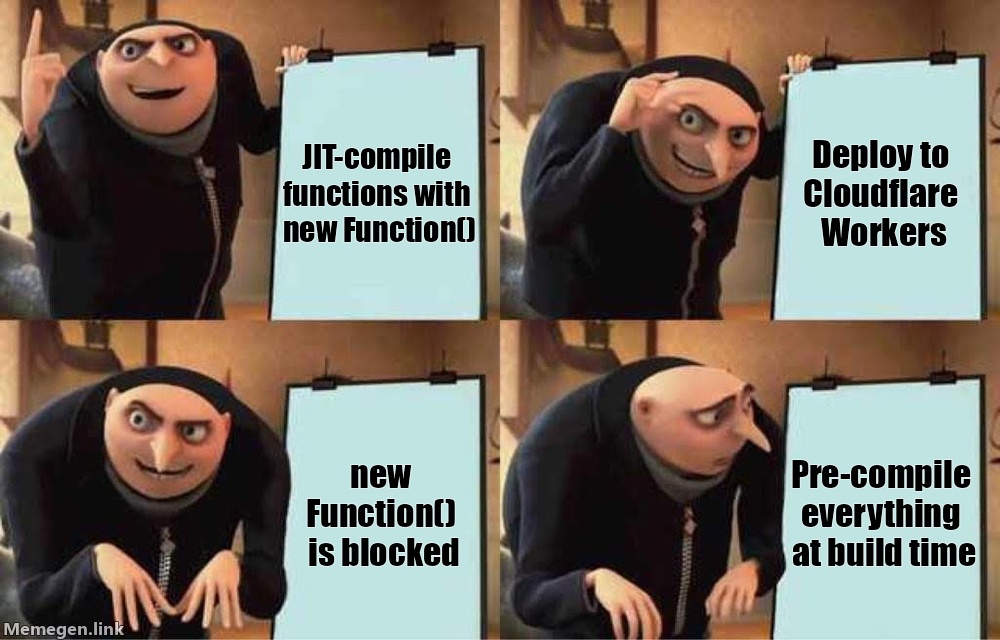
MikroORM JIT-compiles optimized hydration and comparison functions per entity at startup using new Function. This is great for performance, but runtimes like Cloudflare Workers prohibit dynamic code evaluation entirely.
V7 adds a compile CLI command that pre-generates all these functions into a plain .js file ahead of time. At runtime, the pre-compiled functions are used directly — no eval, no new Function, fully compatible with edge runtimes:
npx mikro-orm compile --out ./compiled-functions.js
import compiledFunctions from './compiled-functions.js';

await MikroORM.init({
  compiledFunctions,
  // ...
});
If a matching pre-compiled function exists, it's used directly. Otherwise, the ORM falls back to the existing JIT path. This means you can use the same config in both development (JIT) and production (pre-compiled) without any changes.
Bundler-friendly migrations and seeders
The @mikro-orm/migrations package no longer depends on umzug. The migration orchestration is now fully inline, and all node: imports are behind dynamic import() calls. When you provide a migrationsList array, no file system access is needed at all — making migrations fully compatible with bundled environments and edge runtimes.
The same approach applies to the seeder — a new seedersList option lets you register seeders explicitly, avoiding file system discovery:
import { Migration1 } from './migrations/Migration1.js';
import { Migration2 } from './migrations/Migration2.js';
import { UserSeeder } from './seeders/UserSeeder.js';

await MikroORM.init({
  migrations: {
    migrationsList: [
      { name: 'Migration1', class: Migration1 },
      { name: 'Migration2', class: Migration2 },
    ],
  },
  seeder: {
    seedersList: [
      { name: 'UserSeeder', class: UserSeeder },
    ],
  },
});
Combined with pre-compiled functions and the zero Node.js dependency in core, you can now deploy a fully functional MikroORM application to edge runtimes like Cloudflare Workers — complete with migrations and seeding.
More TypeScript loaders for CLI
The ts-node era is over. V7 supports multiple TypeScript loaders out of the box - just install one of swc, tsx, jiti, or tsimp and things will work automatically. No more fiddling with mikro-orm-esm scripts, custom loaders, or shebang hacks.
# just install your preferred loader
npm install tsx

# and use the CLI as usual
npx mikro-orm schema:update
The MIKRO_ORM_CLI_USE_TS_NODE environment variable has been replaced with MIKRO_ORM_CLI_PREFER_TS.
Improved minification support
Previously, a lot of MikroORM internals depended on entity class names, but some bundlers (looking at you, Next.js) like to mangle class names and don't even ensure uniqueness. We used to validate against this, forcing users to disable class name mangling in their bundler config.
With v7, class references are used internally instead of class names, making MikroORM resistant to duplicate or mangled class names. Note that there are still places where we rely on class names (e.g. single table inheritance discriminators), but the overall situation is much better.
For a complete walkthrough of setting up MikroORM in a Next.js project, see the new Usage with Next.js guide.
Slow query logging
V7 adds built-in slow query detection. Set a threshold in milliseconds and any query exceeding it is logged at warning level — regardless of your debug setting:
const orm = await MikroORM.init({
  slowQueryThreshold: 200, // log queries taking 200ms or more
});
Slow queries are logged via the slow-query namespace with the same formatting as regular query logs (highlighting, result counts, replica info). Both successful and failed queries are checked against the threshold.
You can route slow query logs to a separate destination (a file, a monitoring service, etc.) via slowQueryLoggerFactory:
const orm = await MikroORM.init({
  slowQueryThreshold: 200,
  slowQueryLoggerFactory: options => new DefaultLogger({
    ...options,
    writer: msg => fs.appendFileSync('slow-queries.log', msg + '\n'),
  }),
});
Auto flush mode improvements
The auto flush mode (which checks for dirty entities before queries and flushes if needed) has been reworked for better performance. The mechanism now uses get/set property descriptors only when necessary - specifically, scalar properties are only redefined when you call em.persist() on an entity. This reduces the performance overhead when working with large numbers of entities.
EntityGenerator defaults
The entity generator now ships with updated defaults that reflect the modern way of using MikroORM:
{
  entityDefinition: 'defineEntity',  // was 'decorators'
  enumMode: 'dictionary',            // was 'ts-enum'
  bidirectionalRelations: true,      // was false
  identifiedReferences: true,        // was false
}
Type-level performance
MikroORM's type system is powerful but has historically been expensive for the TypeScript compiler. V7 includes a focused effort to bring type instantiation costs down across the board. Key types like Loaded, AutoPath, InferEntity, EntityData (used by em.create and em.assign), and defineEntity schemas have all been reworked to reduce the number of type instantiations the compiler needs to evaluate.
The results are significant — in our type benchmarks, complex em.assign calls see up to 40% fewer type instantiations, and defineEntity schemas with many properties are noticeably faster to check. If you've ever experienced slow IDE feedback or long tsc times in a large MikroORM project, v7 should feel considerably snappier.
Documentation overhaul
The documentation got a massive overhaul alongside v7. Here are the highlights:
- Refreshed homepage — the landing page has been completely redesigned with a cleaner layout, better feature highlights, and a more modern look.
- Architecture Overview — a brand new page explaining how MikroORM works internally: the core patterns (Data Mapper, Unit of Work, Identity Map), the key components, the request context lifecycle, and how flushing works under the hood. Whether you're debugging an issue or just curious, this should help you build a mental model of the ORM.
- Restructured sidebar — the docs are now organized into logical categories: Core Concepts, Modeling, Querying, Schema & Database, Advanced, and more. Finding what you need should be much easier now.
- Getting Started Guide rewritten — the guide now uses
defineEntityas the primary approach and focuses on the happy path: zero-config, any TS loader, works with bundlers out of the box. No more pages aboutts-morphedge cases. - Code tabs everywhere — most entity definition examples now show both
defineEntityand decorators side by side, so you can follow whichever style you prefer. - Expanded Decorators Reference and Events & Lifecycle Hooks — both significantly expanded with more examples and details.
Developer tooling
On the tooling side, the codebase has switched from ESLint to oxlint and adopted oxfmt for formatting — both part of the Oxidation Compiler project. Linting the entire monorepo now takes seconds instead of minutes.
Breaking changes worth knowing about

A major version wouldn't be complete without some breaking changes. Most of them are straightforward renames or cleanups, but a few deserve special attention since they can silently affect your data or break your build.
forceUtcTimezone enabled by default
This is probably the most important breaking change to be aware of. The forceUtcTimezone option is now enabled by default for all SQL drivers. Note that the PostgreSQL driver already defaulted to true in v6, so this primarily affects MySQL, MariaDB, and MSSQL users. This means datetime columns without timezone (datetime in MySQL/MSSQL, timestamp in PostgreSQL) will store and retrieve values in UTC.
If your existing data was stored in local timezone, the timestamps will be interpreted incorrectly unless you either migrate your data to UTC or disable the option:
MikroORM.init({
  forceUtcTimezone: false, // keep the old behavior
});
FK rules decoupled from cascade option
Previously, MikroORM inferred database-level foreign key rules (ON DELETE, ON UPDATE) from the ORM-level cascade option. This coupling was confusing — Cascade.REMOVE would silently set deleteRule: 'cascade' on the database level too, even though ORM cascading and database cascading are different things.
In v7, these are fully independent. If you relied on the old inference, you'll see schema diffs the first time you run the schema generator. You can either set rules explicitly on individual relations, or configure global defaults:
MikroORM.init({
  schemaGenerator: {
    defaultDeleteRule: 'cascade',
    defaultUpdateRule: 'cascade',
  },
});
ReflectMetadataProvider no longer the default
If you use decorators with reflect-metadata for type inference, you now need to configure the metadata provider explicitly:
import { ReflectMetadataProvider } from '@mikro-orm/decorators/legacy';

MikroORM.init({
  metadataProvider: ReflectMetadataProvider,
});
This doesn't affect you if you use defineEntity, ts-morph, or if you provide types explicitly in your decorator options.
Stricter em.create() and em.assign() typing
The em.create() and em.assign() methods now perform stricter type checking on the data parameter. If you use typed DTOs (e.g. Zod-inferred types), typos in property names that were previously silently ignored will now cause compile errors:
type CreateUserDto = { firstName: string; lastNme?: string }; // typo!
em.create(User, dto); // TS error in v7 — 'lastNme' doesn't exist on User
This is a good thing! But it might surface errors in your existing code that were silently passing through before.
validate and strict always enabled
Both options are now always on, and the auto-fixing mechanism is removed. In practice, this means that if you use aggregate functions like sum in PostgreSQL (which returns strings by default), the result won't be silently cast to a number anymore — you'll need to handle the type yourself.
Auto flush mode requires explicit em.persist()
If you use flushMode: 'auto', scalar property change detection now requires an explicit em.persist() call. Without it, changes to scalar properties won't be picked up by the auto flush check. This reduces the performance overhead for projects not using auto flush.
Explicit config options take precedence over env vars
Previously, environment variables always had the highest priority — a stale MIKRO_ORM_HOST env var could silently override an explicit host option passed to MikroORM.init(). In v7, the priority order is: explicit options > env vars > config file > defaults.
// v6: env var MIKRO_ORM_HOST=db.prod.internal would override the host below
// v7: the explicit host option wins, env var is ignored
const orm = await MikroORM.init({
  host: 'localhost',
  // ...
});
Note that when you import your config file and pass it to MikroORM.init(config), all values from the config file are treated as explicit options, so env vars won't override them. If you want to restore the v6 behavior where env vars always win, use the preferEnvVars option:
export default defineConfig({
  preferEnvVars: true,
  host: 'localhost',
  // MIKRO_ORM_HOST env var will override 'localhost'
});
Formula, index, and check callback signatures
The callback signatures for @Formula, index expressions, check constraints, and generated columns have changed. Parameters are now swapped — columns is the first parameter, table is the second. Column values are unquoted, and a new quote tagged template helper handles proper identifier quoting across all database platforms:
-import { Entity, Formula } from '@mikro-orm/core';
+import { Entity, Formula, quote } from '@mikro-orm/core';

-@Formula(alias => `${alias}.price * 1.19`)
+@Formula(cols => quote`${cols.price} * 1.19`)
 priceTaxed?: number;
The quote helper ensures correct quoting per driver — backticks for MySQL, double quotes for PostgreSQL, square brackets for MSSQL. It works the same way for index expressions and check constraints:
-expression: (table, columns, name) => `create index ${name} on ${table} (${columns.email})`
+expression: (columns, table, name) => quote`create index ${name} on ${table} (${columns.email})`

-check: columns => `${columns.price} > 0`
+check: (columns, table) => quote`${columns.price} > 0`
For backwards compatibility, cols.toString() returns the quoted table alias, so simple template literal usage still works — but only the quote helper provides full identifier quoting for column names too.
Other changes
persistAndFlush()andremoveAndFlush()removed — useem.persist(entity).flush()instead.- QueryBuilder is no longer directly awaitable — use
qb.execute()orqb.getResult(). - String entity references no longer supported — use class references (e.g.
em.find(User)notem.find('User')). MikroORM.initSyncremoved — usenew MikroORM({ ... })directly.MikroORM.init()now requires explicit config — no more implicit CLI config loading.@mikro-orm/better-sqlitedriver removed — use@mikro-orm/sqliteinstead (it usesbetter-sqlite3internally).driverOptionsstructure changed — options are now passed directly to the underlying database client instead of wrapping them in aconnectionobject.- Default
embeddables.prefixModechanged torelative. - Arrays inside object embeddables are mapped to JSON arrays by default.
em.addFilter()signature changed to use a single options object.- Default propagation in
@Transactionaldecorator changed toREQUIRED. SchemaGenerator/Migrator/Seedermethods renamed (e.g.createSchema()→create(),createMigration()→create()).ArrayCollectionmerged intoCollection.- Database connection is now always established lazily —
connectoption removed. - Decorators must now be imported from
@mikro-orm/decorators/legacyor@mikro-orm/decorators/es— they are no longer re-exported from driver packages. - Internal properties across all core classes now use native ECMAScript
#privatefields — code that accessed internals viaas anycasts or underscore-prefixed properties will need to migrate to the documented public API.
And many many more — see the full changelog here.
Upgrading? The v6 → v7 upgrading guide covers every breaking change in detail with before/after examples and migration steps.
One more thing...

MikroORM now supports Oracle Database via the new @mikro-orm/oracledb package, powered by the oracledb driver. This brings the total number of supported databases to eight.
import { OracleDriver } from '@mikro-orm/oracledb';

const orm = await MikroORM.init({
  driver: OracleDriver,
  dbName: 'XEPDB1',
  host: 'localhost',
  port: 1521,
  user: 'orm_test',
  password: 'secret',
});
The driver includes full support for the schema generator, query builder, entity manager, and all the standard ORM features — including Oracle-specific SQL dialect handling, exception conversion, and sequence-based auto-increment. See the Oracle driver documentation for more details.
Next on the roadmap is a PGlite driver — once Kysely 0.29 reaches a stable release, we'll be able to add support for this lightweight, in-process PostgreSQL implementation.
NestJS adapter
The @mikro-orm/nestjs adapter has been updated for v7 as well. It supports all the new features out of the box — native ESM, the new decorator imports, and the updated driver packages.
To help you get started, we've also prepared migration PRs for both the Getting Started guide and the NestJS RealWorld example app — these can serve as a practical reference for upgrading your own NestJS projects to v7.
Thank you
This release wouldn't have been possible without the many contributors who submitted pull requests, reported issues, and helped test pre-releases. A special thanks to everyone who contributed code — you can find the full list of contributors in the changelog.
Like MikroORM? ⭐️ Star it on GitHub and share this article with your friends. If you want to support the project financially, you can do so via GitHub Sponsors.